Free QR code generator
Paste a link, download a QR code. Free, no sign-up, and made in your browser — we don't store what you type.
Your QR code appears here
Size applies to PNG. SVG is a vector file and scales to any size.
This is a static QR code: the link is inside the code, so it works as long as the link does and can't be changed later.
Need to change it after printing?
Make a toa.ee short link and use its QR code instead. On Pro you can change where it points at any time, see how many people scanned it, and add your colours and logo.
Make a dynamic QR codeStatic vs dynamic QR codes
| Feature | Static (this page) | Dynamic (toa.ee short link) |
|---|---|---|
| Price | Free, no account | Free for 3 links; Pro €4.99/mo |
| Change the destination after printing | No | Yes, on Pro |
| Scan stats | No | Yes, without cookies |
| Formats | PNG, SVG | PNG, SVG, PDF |
| Colours and logo | No | On Pro |
| Keeps working without toa.ee | Yes | Needs the toa.ee link to stay live |
A QR code for every link and business card
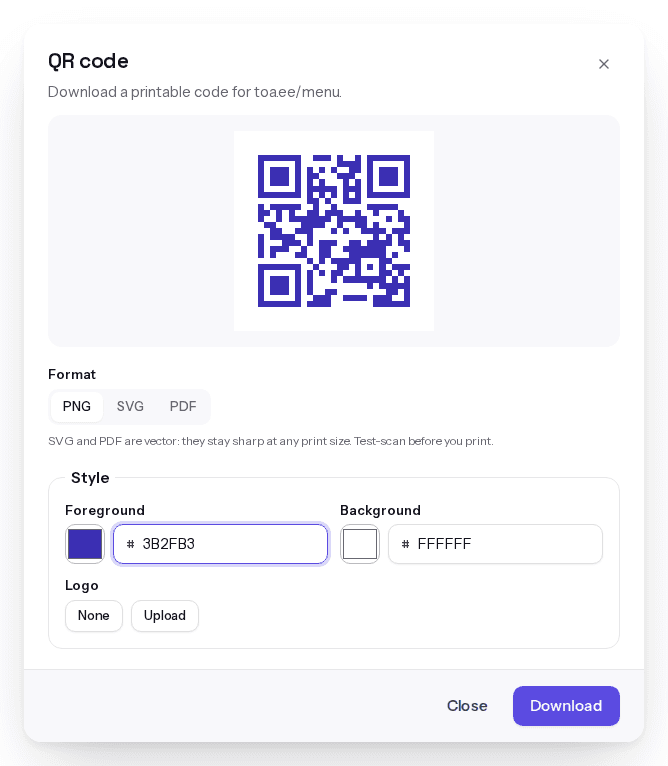
Every toa.ee short link and business card comes with a QR code on every plan. Pro adds foreground and background colours and a logo in the middle, with high error correction so the code still scans. We block colour pairs phones can't read.
How to print a QR code that scans
- Use SVG or PDF for print. They're vector files, so they stay sharp at any size.
- Make it big enough: at least 2 cm (0.8 in) wide, and about a tenth of the scanning distance — a poster read from 1 m needs a code about 10 cm wide.
- Keep the quiet zone: leave a clear margin around the code.
- Print dark on light. Light codes on dark backgrounds fail on many phones.
- Test-scan a printed proof with your phone's camera and Google Lens before you print the batch.
Your QR code won't be held hostage
Some QR code services switch off dynamic codes when a free trial ends. A toa.ee QR code is a normal short link: it keeps working while the link exists, and we never replace it with ads or someone else's page.
QR code questions
Is this QR code generator really free?
Yes. QR codes from this page are free, need no account and have no scan limit — the code is just your link.
Do QR codes expire?
Static codes don't; they work as long as the link inside works. A toa.ee QR code works while its short link exists. Free links don't expire unless you set a date, and if you cancel a paid plan, links above the Free allowance stay live for 30 days before they're deleted.
What's the difference between a static and a dynamic QR code?
A static QR code contains the destination itself. A dynamic QR code contains a short link that forwards to the destination, so you can change the destination later and count scans.
What size should I print a QR code?
At least 2 cm (0.8 in) wide. For posters and signs, make it about a tenth of the distance people scan from.
Can I add a logo to my QR code?
Yes, on toa.ee Pro and Max, for short links and business cards. This free generator makes plain black-on-white codes.
Which file format should I use?
PNG for screens and documents, SVG for design tools and print, PDF for print shops.
Do you track people who scan?
Codes from this page: no — the code is your link and nothing passes through toa.ee. toa.ee short links count scans without cookies and never store raw IP addresses.
Can I make a QR code with my contact details?
Yes: make a digital business card and use its QR code. You can update your details after printing.